1
Upload Card
Take a clear, flat photo of the handwritten card or note and upload it to start the recipe.
Photograph an old recipe card, inherited box, faded note, or holiday favorite. Card My Recipe turns the handwriting into editable recipe text and lays it out as a card you can preserve, print, and share.
From Grandma's cards, Inherited boxes, Faded notes, Holiday recipes and Family cookbook prep .
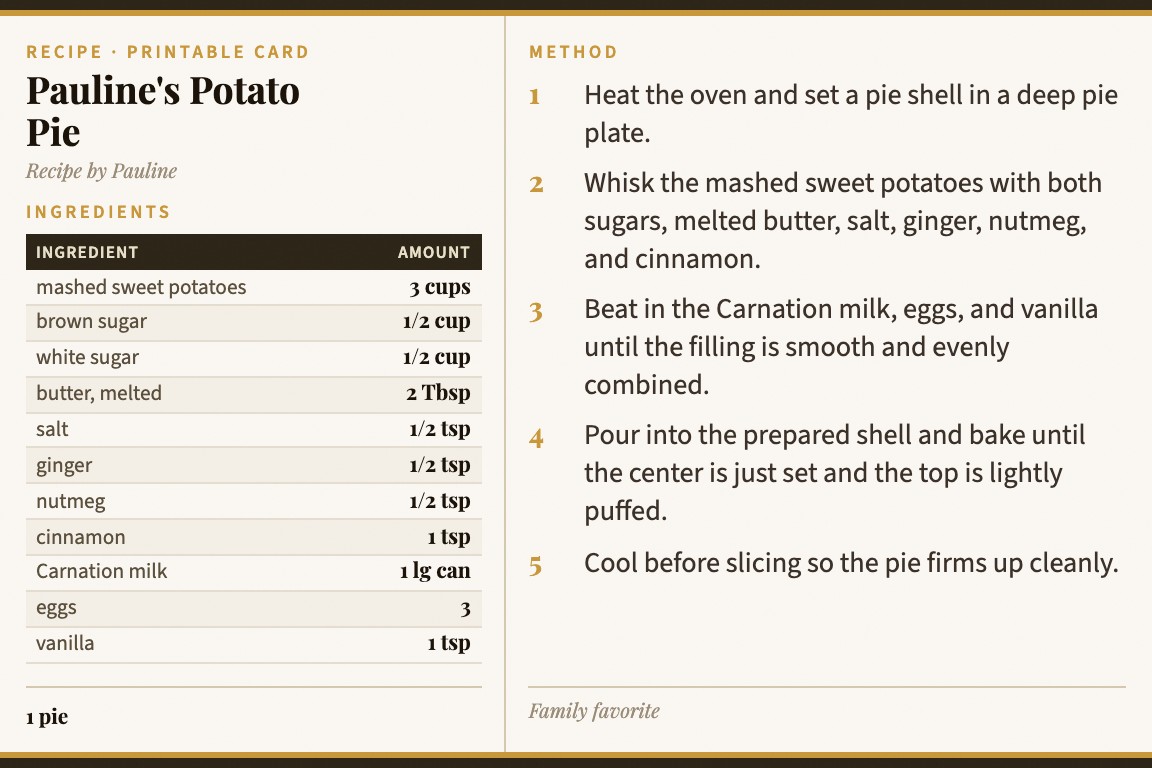
Take a clear, flat photo of the handwritten card or note and upload it to start the recipe.
Handwriting can need review, especially when ink is faded or abbreviations are personal. Edit the wording before you save.
Print the cleaned card, save it to your library, or share it with relatives preparing a family cookbook.
This is the tool workflow behind family preservation: create a readable second copy while the original card can stay safely tucked away.
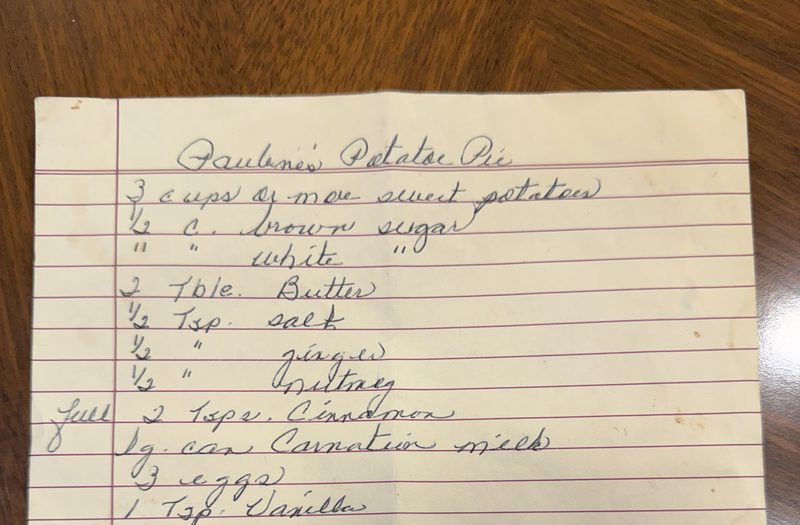
Use it when the important thing is both preservation and usability: the recipe should still sound familiar, but it should be easier to cook from.
Convert a well-loved card into readable text while preserving the familiar title, notes, and wording.
Use the upload as a starting point, then correct names, measurements, and family shorthand before printing.
Turn a box of holiday recipes into consistent printable cards before you assemble a cookbook or binder.
The family recipes page is the emotional umbrella. This page is the concrete tool path for handwritten cards that need text extraction, correction, and a printable result.
A photo album
Photos are meaningful, but they can be hard to read at the stove and hard to edit for a family cookbook.
Manual typing
Retyping every family card works, but it turns a preservation project into a long data-entry project.
Card My Recipe
Start with the handwriting, review the extraction, then keep a clean card that still belongs in the family recipe box.
For the broader preservation story, visit Family Recipes. For typed pages, cookbook photos, and screenshots, see recipe photo to text.
Yes. Upload a clear photo of the card and review the extracted text before saving or printing.
Not always. Faded ink, cursive, stains, and family abbreviations can require correction. The workflow is built so you can review and edit before keeping the card.
Yes. You can keep the family phrasing, notes, and names, then correct only the parts that need cleanup.
Yes. Print the card, save it to your library when signed in, or share a link with family members.
Yes. Family Recipes explains the broader preservation use case. This page is focused on converting handwritten cards into editable text and printable cards.
Upload a card, correct the text where needed, and keep a printable copy for the recipe box.