Turn family recipes into printable recipe cards

Family recipes → recipe cards

Photograph a handwritten card, upload a typed family sheet, or paste a recipe from notes. Card My Recipe lays it out as a clean 4×6 card — easier to read at the stove, easier to print for the recipe box, easier to share with family.

From Handwritten cards and Typed family sheets to Old recipe notes and Photos and scans.

No account needed · Free to try
Sample card Recipe card for Lasagna Soup
A finished 4×6 card — title, ingredients, method, ready to print or share.
Card in, card out

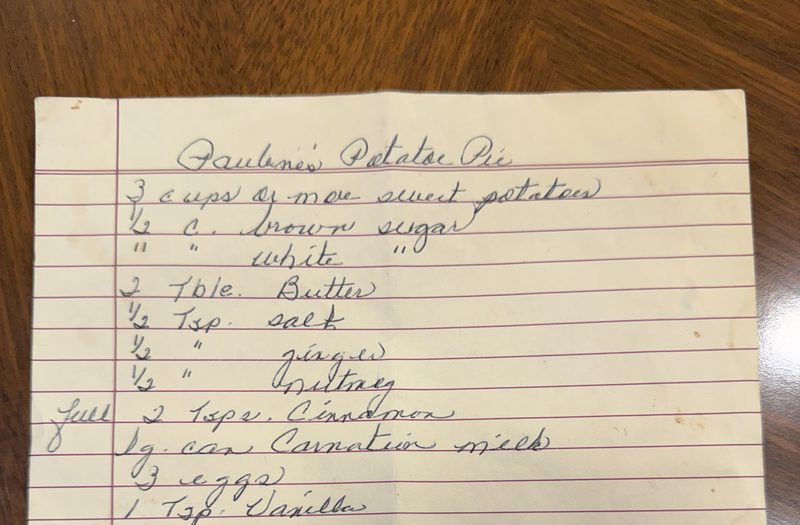
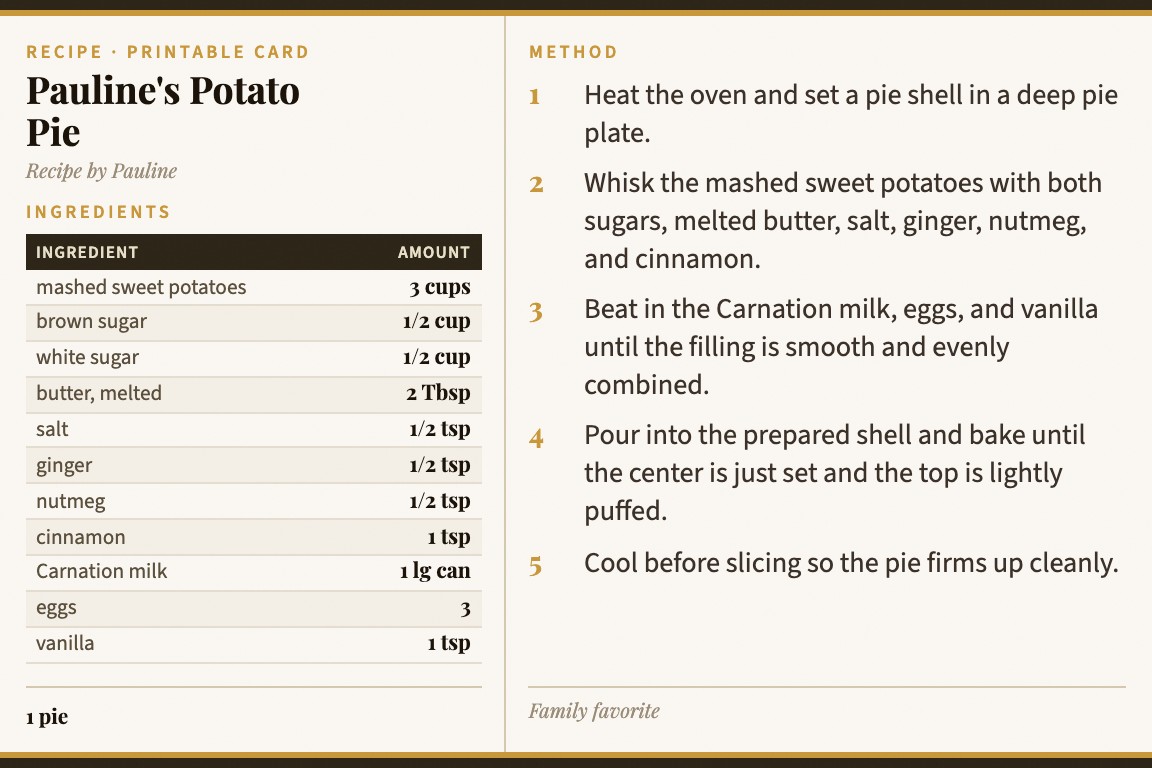
A handwritten recipe on the left. A printable card on the right.

The original stays as it is. What Card My Recipe gives back is a second, cleaner copy — the same recipe, easier to read at the stove and easier to share with family.

Family recipe
Photo A photograph of a handwritten family recipe card
Card My Recipe output
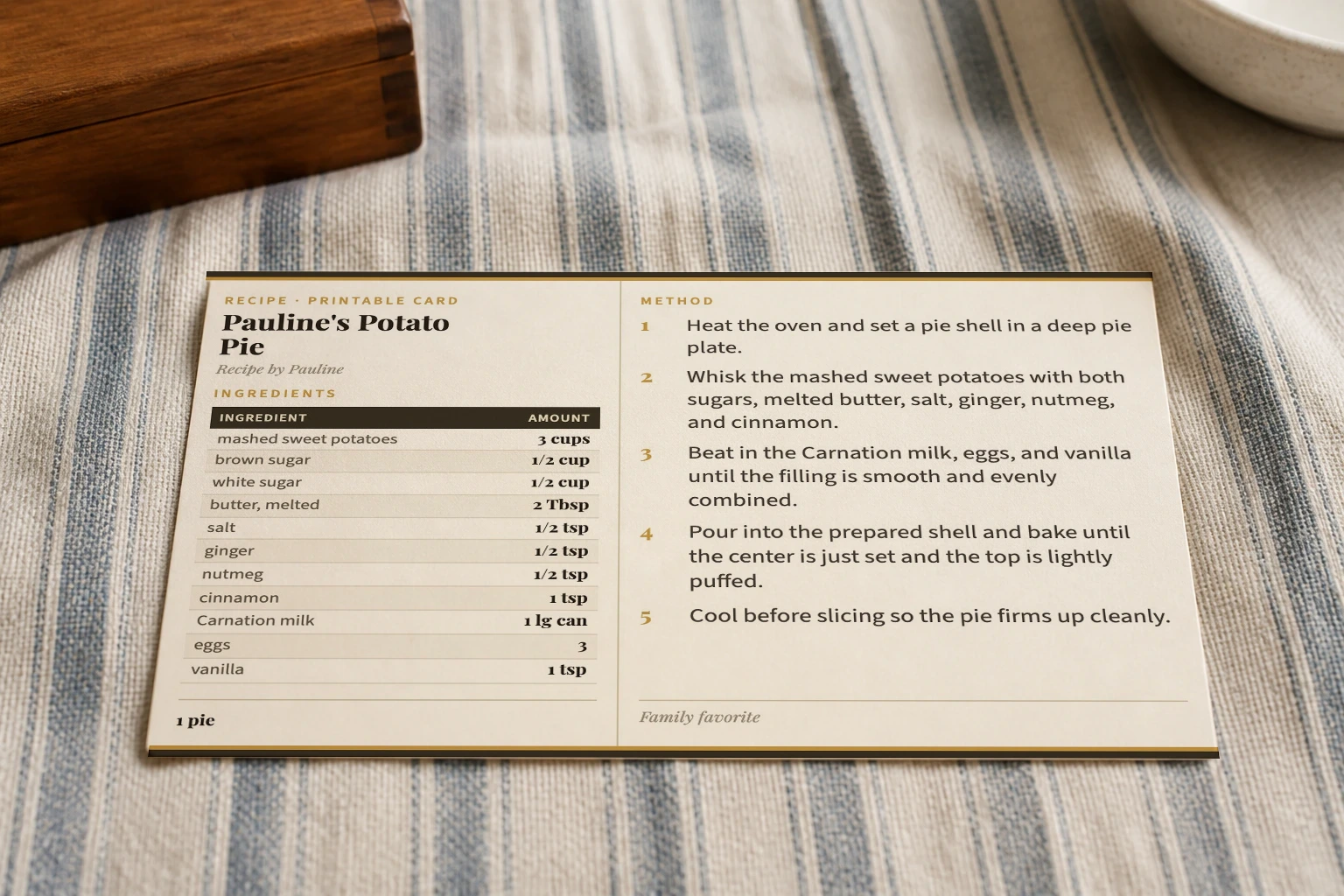
Card Generated recipe card for Pauline's Potato Pie
Built for family input

However the recipe was written down.

Family recipes don't all live in the same format. Some are on index cards, some are typed sheets in a binder, some are scribbled on the back of an envelope. Card My Recipe handles all of them.

i.

A handwritten card

Photograph the card in good light. Upload it. Card My Recipe reads the handwriting and lays the recipe out as a clean printable card.

For handwritten index cards & notes
ii.

A typed family sheet

A page from a binder, an old printout, a recipe in a Word doc. Photograph it or paste the text. Either way, you get a card.

For typed sheets & printouts
iii.

A recipe in your notes

If the recipe is already in a phone note or an email, paste it in. Card My Recipe formats it without you starting from a blank template.

For pasted text from notes & email
Why not a Word doc

Easier than retyping. Cleaner than a screenshot. Built for the kitchen.

The usual options for preserving a family recipe — typing it into a doc, scrapbooking around the original, photocopying the card — all leave you with something that's hard to use. Card My Recipe gives you a second copy you actually want to cook from.

Type it into a doc

Word & co.

A blank page, no layout. You retype the recipe and try to make it look like a card.

  • Manual typing of every ingredient and step
  • You build the layout from scratch
  • Result feels like a document, not a card

Photo or photocopy

A copy of the original

Faster than retyping, but inherits the original's clutter — faded ink, smudges, awkward sizing.

  • Hard to read at the stove
  • Doesn't print to standard sizes
  • No good way to share digitally

Card My Recipe

A clean second copy.

Reads the recipe out of the original and lays it on a 4×6 card you can print, save, and send to family.

  • The original stays as it is
  • Print-ready 4×6 card layout
  • Share link to send to family
Try it, then save or upgrade

Free to try with a family recipe.

Make your first card without an account. Sign in to save your family recipes in one library. Upgrade to Pro for higher photo limits and the full set of card themes.

Guest No account
Upload a family recipe, get a card, download it as a PDF.
Free With account
Save family recipes to a library and share them with relatives via link.
Pro For active cooks
More uploads per day, more themes, priority on new books.
See full pricing →
Frequently asked

Common questions

Can I use a handwritten recipe card?

Yes. Take a clear photo of the card and upload it. Card My Recipe reads the handwriting and lays out the recipe as a clean printable card. The original card stays as it is — what you get back is a second, easier-to-read copy.

Can I use a typed family recipe sheet?

Yes. Photograph it, upload it, or paste the text. Card My Recipe formats it onto a 4×6 card without you starting from a blank template.

Will it work if the handwriting is messy?

Reasonably messy handwriting is fine. For very faded or hard-to-read cards, take the photo in good light and as flat as possible. After the card is generated, you can edit anything that didn't read perfectly before saving or printing.

Can I print the card or share it with family?

Yes. Every card prints cleanly at 4×6 and has a share link you can send to family members. Sign in (free) to save the card to your library so you can come back to it later.

What about cookbook recipes and recipes from URLs?

Cookbook photos work great too — see cookbook page to recipe card. For URLs and the full set of input modes, see the recipe card maker.

Try it with a family recipe

Give a family recipe a cleaner format.

Photograph a handwritten card, upload a typed sheet, or paste from your notes. Card My Recipe formats the rest.